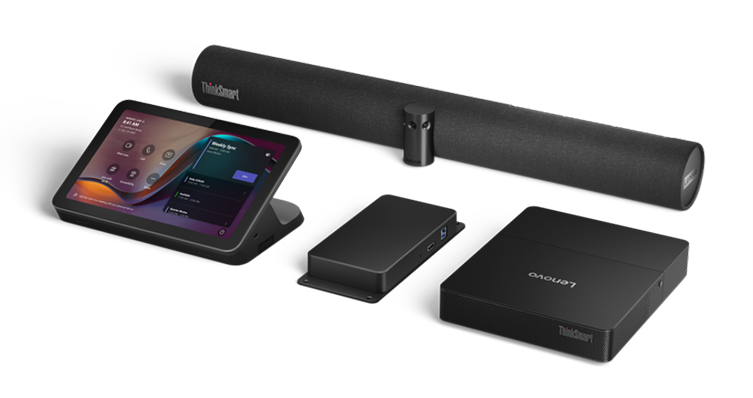
Most of the kit sits in one device in the middle of the table. The ThinkSmart Hub Gen 2 brings the controls, four speakers and four microphones for clear sound in every direction, and a touchscreen anyone around the table can reach to start or join a meeting. A Huddly IQ camera by the screen captures the whole table, and a 55-inch 4K display shows the shared content, so a small room gets everything it needs from one tidy setup instead of a rack of gear.
A system for every meeting room
Lenovo ThinkSmart fits out every meeting space on the same Microsoft Teams Rooms hardware, from a six-seat huddle room to a twenty-seat hall. Every room then works the same way for the people using it, and your IT team sets up, manages and supports all of them from one place, so as a room grows you add cameras to it instead of starting over.

One system for every room means a lot less to manage.
When every meeting room runs on the same Lenovo hardware, built for Microsoft Teams Rooms, the people using them get the same simple experience in every room, and your IT team sets up, manages and supports all of them in one place instead of a different system behind every door.
 One system for every room size
Whether it is a six-seat huddle room or a twenty-seat hall, every room runs on the same Lenovo system, so you grow a room by adding cameras to it rather than rebuilding it from scratch.
 Built for Microsoft Teams Rooms
Every device runs Microsoft Teams Rooms out of the box and sets itself up through ThinkSmart-Start and Microsoft Autopilot, so a new room is ready to join its first call soon after it is switched on, with no lengthy setup project.
 Managed and supported by Lenovo
ThinkSmart Manager lets IT see and manage every room from one online console, and if a room ever has a problem, Lenovo Premier Support puts an engineer straight onto it.
3-year
Lenovo Premier Support and hardware warranty
1-year
ThinkSmart Manager Premium included
24/7/365
Premier Support at all times
Thinksmart One Pro: everything for a front of the room setup bundled in one bar.
The One Pro is built for rooms that face the screen. Its camera and eight-microphone array work from the front, under the display, capturing people who are already turned toward it, and since the same bar holds the compute and speakers, the table is left to a single touch panel.

8-microphone array
180-degree voice pickup
Wide-angle camera
auto-frames the room
Stereo speakers
echo and noise cancellation
Windows compute
Intel Core, runs the meeting
Center focused small Kit
The Centred-Small Kit answers the opposite layout, the huddle of up to six where people face each other rather than a screen.
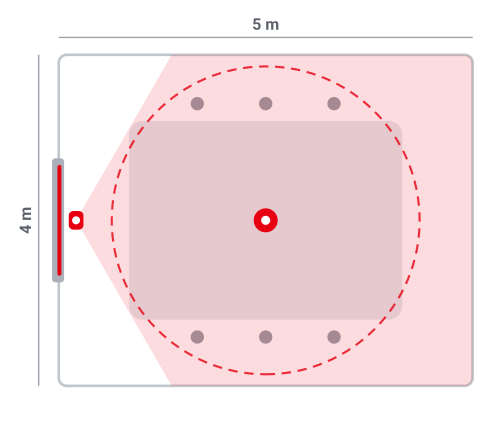
 Camera field of view
 Microphone pickup
6
seats
In the kit

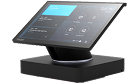
ThinkSmart Hub Gen 2
Center-of-table compute, controls and 360-degree audio
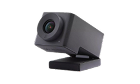
Huddly IQ
AI wide-angle camera with automatic framing

ThinkVision E55 LFD
55-inch 4K, 3-side borderless, USB-C dock
6 seats
≈20 m² room
360° audio
10.1″ touchscreen
Standard-Medium Kit
The simplest way to fit out a standard ten-person room. One all-in-one bar under the screen does the camera, microphones, speakers and compute, so there is the least to install and nothing on the table but the touch panel
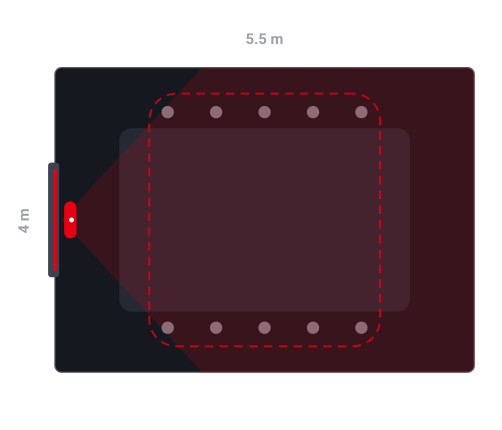 Camera field of view
Microphone pickup
Camera field of view
Microphone pickup
10
seats
In the kit
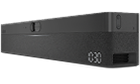
ThinkSmart One Pro
All-in-one bar: FHD 100-degree camera, 8-mic 180-degree audio, Windows IoT compute
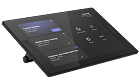
ThinkSmart USB Controller
Plug-and-play USB-C touch control, up to 10 m
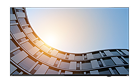
ThinkVision E65 LFD
65-inch 4K, 3-side borderless, USB-C dock
The ThinkSmart One Pro puts the whole front of the room into a single bar under the screen. It holds the camera, the microphones that pick up the room across a wide span, the speakers, and the computer that runs the meeting, so there is nothing on the table except a small touch panel to start a call. A 65-inch 4K screen fills the wall, which makes the most common size of meeting room quick to fit out and simple to use.
10 seats
100° camera
180° audio
1 single unit
Full Room Kit
A three-camera, 180-degree Bar captures every seat individually, a dedicated ThinkSmart Core runs everything on its own network connection, and the IP controller can sit up to 100 metres away. Step up to this over the One Pro when you want everyone seen up close
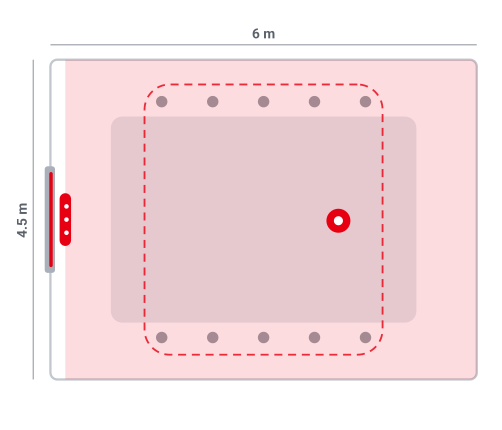 Camera field of view
Microphone pickup
Camera field of view
Microphone pickup
10
seats
In the kit
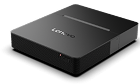
ThinkSmart Core Gen 2 DL
Dual-LAN compute with on-board NPU
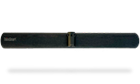
ThinkSmart Bar 180
Three-camera 180-degree bar, 8 mics, identifies up to 10 voices
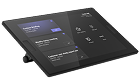
Lenovo IP Controller
Networked control over PoE, up to 100 m from the compute
ThinkVision E65 LFD
65-inch 4K, 3-side borderless, USB-C dock
This kit adds a camera bar that takes in the whole room at once. The ThinkSmart Bar 180 uses three cameras to stitch one wide view and eight microphones to tell up to ten people apart, so whoever is speaking is framed and heard. A dedicated ThinkSmart Core, the computer that runs the room, does the work on its own network connection, the touch panel can sit up to 100 metres away, and a 65-inch 4K screen shows the shared content.
180° panoramic
3 cameras
10 voices
Dual LAN
Multi-camera Kit
A long boardroom or training room for up to twenty people, where one camera cannot see everyone.
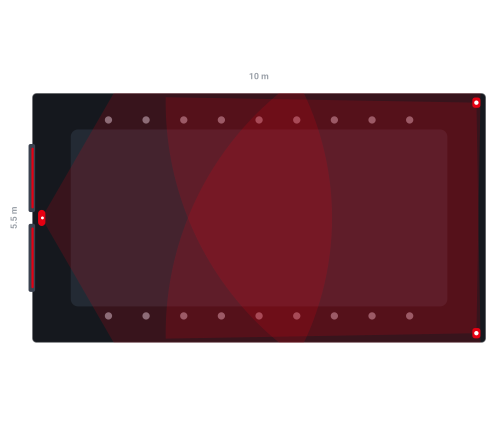 Camera field of view
20
seats
In the kit
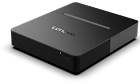
ThinkSmart Core Gen 2 DL
Dual-LAN compute, paired with the Lenovo IP Controller
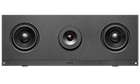
Huddly C1
Lead 4K AI camera, 120-degree field of view
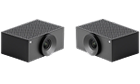
Huddly Crew add-ons
Add-on cameras for extra angles, 92-degree field of view

2x ThinkVision E65 LFD
Two 65-inch 4K 3-side borderless displays
In a long room, a single camera at the front leaves the far end small and hard to hear. This kit places several Huddly cameras around the room and lets an AI pick the best one in real time, cutting to whoever is speaking, so people joining remotely always get a clear, close view. A ThinkSmart Core runs it all, and two 65-inch 4K screens keep the shared content and the remote people side by side. Audio for a room this size is added to match the space.
20 seats
≈55 m² room
≤5 cameras
2 displays
Standard meeting room
One wall display with the ThinkSmart bar mounted beneath it, nothing on the table
Ready when you walk in
Mount and forget
A stand for desk mounting
Put the room's touch controls wherever they need to be.
The controller is the small touch panel people use to start and run a meeting. Every ThinkSmart room takes either version, and the only real difference is how far that panel can sit from the computer that runs the room. The USB controller plugs in with one cable for a panel within about 10 metres, while the IP controller runs over a single network cable that also carries its power, so the panel can sit up to 100 metres away, anywhere there is a network socket.
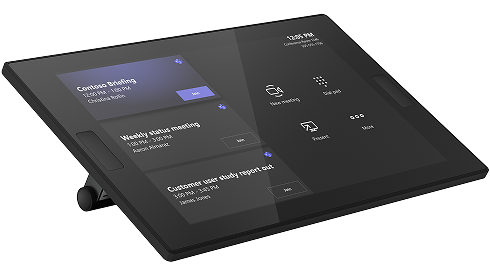
One USB-C cable, plug in and go
10 m max reach from the compute
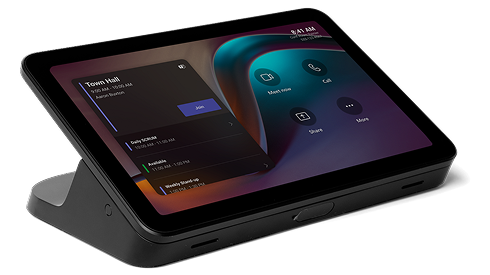
One network cable carries power and data
100 m max reach from the compute
10x the reach of USBFeature
ThinkSmart USB Controller
Lenovo IP Controller
Connection
Direct USB-C cable
Ethernet (CAT5e) with PoE
Maximum reach
Up to 10 m from the compute
Up to 100 m from the compute
Power
Delivered over USB-C
Power over Ethernet, one cable
Wake
Integrated IR sensors
Human-presence sensor, automatic wake
Display
10.1 inch 10-point touch, 1280x800, 340 nits
10.1 inch 10-point touch, 1280x800, 340 nits
Extras
3.5 mm headphone jack
HDMI-in through the controller, wall-mountable
Security
Kensington lock slot
Human-presence sensor + Kensington lock
Best for
Simple plug-and-play rooms
Networked rooms, control placed far from the compute
Cameras that work together so everyone is seen clearly.
In a larger room, a single camera at the front leaves the people at the far end small and easy to miss. Huddly takes a different approach: you start with one camera and add more around the room as you need them, and the system uses AI to switch to whoever is speaking in real time, so the people joining remotely get a clear, close view of each person instead of one distant wide shot of the table.
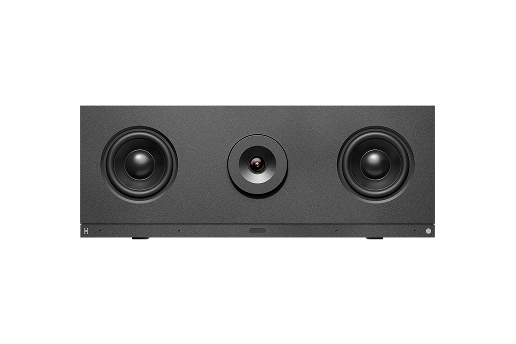
Lead camera
Huddly C1
The main camera. It covers a smaller room on its own, and anchors the setup when you add more cameras to a larger room.
PN 40CQAAAAEU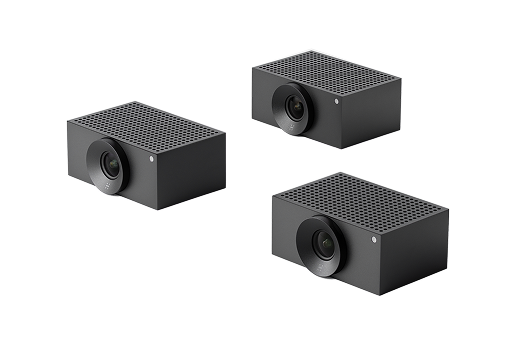
Add-on
Add-on cameras placed around the room for the angles a single front camera cannot get, connected over a network cable and run by the same AI.
PN 40CNAAABWW Start small, add as you grow
Begin with a single Huddly C1 and add Crew cameras over the network as the room gets bigger, so you build up the coverage without redesigning the room or replacing what you already have.
 Collaboration Mode
Huddly's Collaboration Mode uses an AI director to choose the best camera in real time, cutting between the person speaking and the people reacting, so a remote meeting feels produced rather than watched through one fixed webcam.
 Ready for next-gen Teams
Huddly tracks who is in the room and where, and can share that with Microsoft Teams through an open, consent-based connection, so the room is ready for the next wave of Teams AI features rather than needing a replacement when they arrive.
The display is also a full docking station.
The E55 and E65 are large-format 4K screens for the meeting room, each with a USB-C docking station built into the panel. The small computer that runs the room's meetings can mount out of sight behind the screen, so nothing extra sits on the table and the room stays free of cable clutter.
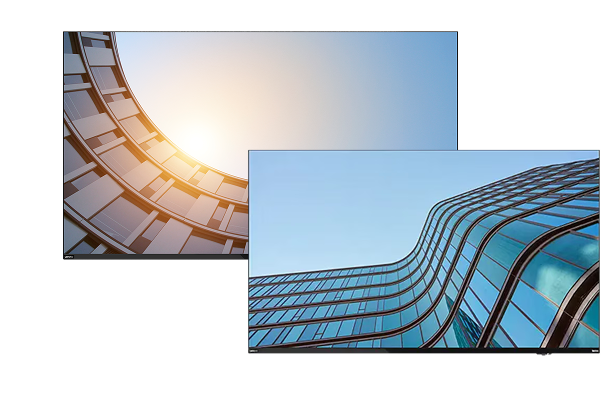
A guest can present from their own laptop right away
Because the dock is built into the display, a visitor plugs their laptop in with one USB-C cable, and that single cable sends their screen to the 4K display, connects them to the wired network, charges the laptop at up to 96 W, and opens the display's USB ports. There is no separate dock to carry and no adapter to find, so they can present or join a call the moment they sit down.
Display in
HDMI 2.1, DisplayPort 1.4, DisplayPort 1.4 out
USB
USB-C 96 W (DP 1.4, upstream), USB-C 15 W, 3x USB-A 5 Gbps, USB-B
Network
Gigabit Ethernet (RJ-45), shared over the dock cable
Audio and control
3.5 mm audio-out, Serial RS232, top USB-A for cameras
55″ / 65″
screen sizes
3840×2160
4K resolution
400
nits brightness
96 W
USB-C power delivery
Keep every room running from one console.
Every ThinkSmart device ships with ThinkSmart Manager pre-loaded, so IT can see the status of every room from one cloud console and push firmware, settings or a restart to any device remotely, without visiting the room.
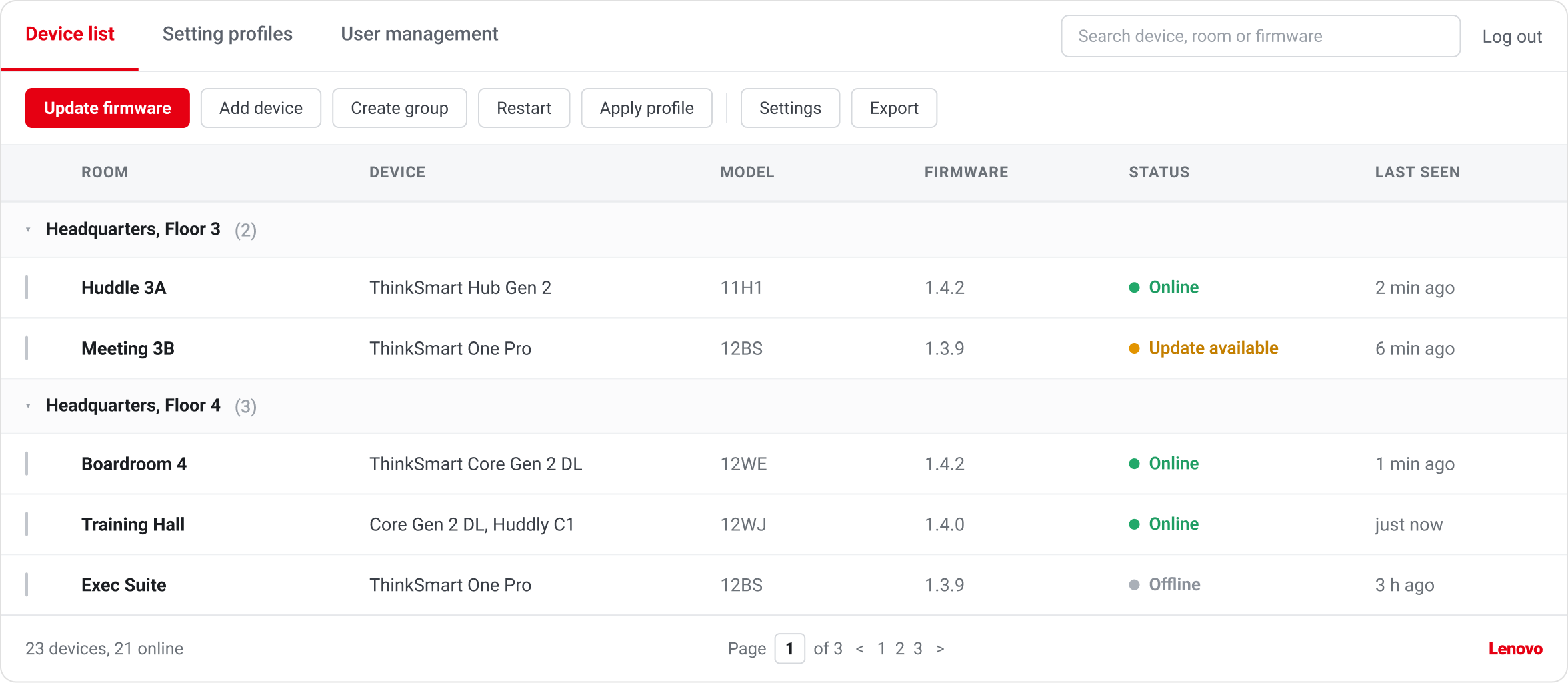 Illustration of the console. Room names, models and figures are examples.
Basic
Pre-loaded, no cost
Comes pre-loaded on every ThinkSmart device at no charge, with the device status and day-to-day controls IT needs to keep a room running.
Premium
One year included
Adds the tools a larger set of rooms needs, included free for the first year and renewable after.
- Proactive monitoring with real-time alerts before users report a fault
- Password, UC account and policy management across the whole fleet
- Out-of-band deploy, configure and update from anywhere
When a room goes down, one call to Lenovo gets it back.
Every ThinkSmart Hub, Core and One comes with Lenovo Premier Support, so a room that goes down becomes a single case with Lenovo instead of a ticket passed between three different suppliers, and one engineer stays with it from the first call until the room is working again.
 A single point of contact
One Premier Support engineer takes your case and keeps it, so you are never re-explaining the same problem to somebody new halfway through.
 Direct access to a specialist
You reach a technician who works on these rooms directly, without a first-line script in between, and that cover includes the Teams and Zoom software as well as the hardware.
 On-site parts and repair
Priority on parts and on-site repair through Lenovo's in-country service network, so a faulty room tends to get mended where it stands.
 Reachable around the clock
Open a case at any hour of any day by ticket, phone or video, backed by a library of online guides and deployment articles.
Included with every ThinkSmart device


3 years
Premier Support
ThinkSmart-Start
Lenovo expert setup
1 year
ThinkSmart Manager Premium
Where to buy?