One USB-C cable replaces your dock.
ThinkVision guarantees you a Modern Workplace.
Power, video, data, and Ethernet through a single USB-C connection to the laptop. This means that the docking station, power bricks, and the cable clutter around your desk are no longer part of the setup.

Why Lenovo ThinkVision Monitors?
PD 3.1 via USB-C charges ThinkPad workstations with discrete GPUs while carrying video, data, and 2.5 Gbps Ethernet
Variable refresh rate on P series. Drops to 24 Hz on static content, rises to 120 Hz for motion without any user configuration.
Bezels on sides and top (P and T series). Under 5 mm total gap between adjacent screens in a multi-monitor setup.
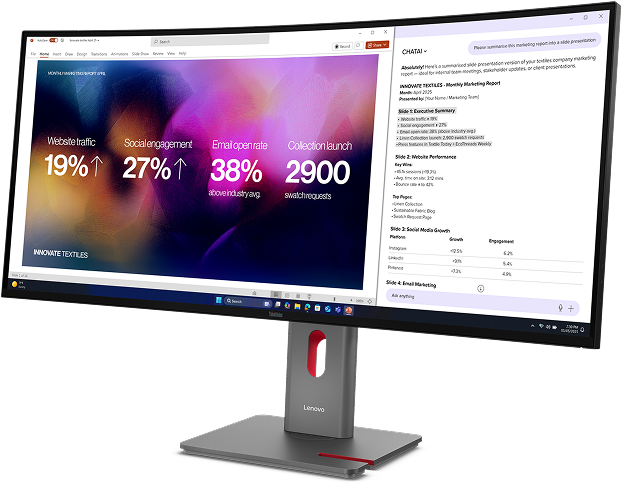
Up to 50% below Energy Star 8.0 on P series. AI backlight dimming, GaN power conversion, VRR, and ambient light sensing, all done automatically.
Less time working on setup. Lenovo Display Fleet Manager handles firmware, OSD settings, and asset inventory remotely and comes free of charge on ThinkVision P and T 40th series monitors.
Cables for webcam and soundbar. MC60 and MS30 mount to rear USB with a security screw. Compatible across Gen 30 and Gen 40 Lenovo ThinkVision Monitors
After 20 years of commercial display manufacturing, the 40th generation Lenovo ThinkVision Monitor replace the docking station entirely through a single USB-C cable.
Get the full introduction to ThinkVision Gen 40 monitors.
Feature-rich design of the Lenovo ThinkVision Gen 40 series

P and T series monitors use 2.0 mm bezels on the sides and top, with a slightly wider bottom edge that ranges from 10 to 14 mm depending on the model. In a multi-monitor setup, the gap between two adjacent screens is under 5 mm total, which keeps the visual break small enough that content reads as continuous across displays.

KVM lets you connect two PCs to one monitor and share a single keyboard and mouse between them. Connect the desktop via USB-B and HDMI or DisplayPort, and the laptop via USB-C or Thunderbolt 4. Switch between sources using the OSD button on the front of the monitor.
Lenovo’s patented eKVM goes further: hold both mouse buttons for three seconds, or double-tap the Shift key, and the active source switches instantly (no drivers needed). The monitor also auto-prioritizes USB-C by default, so plugging in or waking the laptop makes it the active source immediately, of course this default is customizable.
 Plug in USB-C
 Press monitor power button
 Laptop wakes or sleeps
When a compatible Lenovo laptop is connected via USB-C, the monitor’s power button mirrors the laptop’s. Press the monitor’s button to turn the laptop on or off, put it to sleep, or wake it up, without ever opening the lid. The monitor’s status LED syncs with the laptop’s power state, so you can see at a glance whether the system is on, sleeping, or off. This enables full docked operation with the laptop lid closed.

One USB-C or Thunderbolt cable from the laptop to the first monitor, then a DisplayPort Out cable from the first monitor to the second, and from the second to the third. Each monitor in the chain passes the video signal downstream through its DP Out port. The laptop sees all connected monitors as separate displays, and each one still functions as a full dock with its own downstream USB ports and Ethernet pass-through on the first unit in the chain.
Resolution and refresh rate per monitor depend on the total bandwidth available from the source. Daisy chaining three 4K monitors at 120 Hz requires Thunderbolt 4.

A single USB-C cable from the laptop to the monitor carries video, data, network, and up to 140 W of charging power through PD 3.1. That is enough to charge ThinkPad workstations with discrete GPUs at full speed. Ethernet (2.5 Gbps on P series), all downstream USB ports, and the DP Out for daisy chaining all route through that same upstream connection. The docking station and its cable clutter disappear from the desk entirely.
T series delivers up to 100 W via PD 3.0. Maximum output requires a Lenovo VDM-compatible device.

The MC60 webcam attaches to a USB port on the back of the monitor with no cable routing at all. It delivers 1080p video with IR and RGB at 90-degree field of view, dual beamforming microphones, autofocus, Windows Hello face recognition, and Microsoft Teams certification. Additionally, the privacy shutter and physical mic mute are built in.
The MS30 soundbar mounts the same way: plug into the rear USB port, without lengthy routing. It delivers 2x2 W front-facing audio with volume control through Lenovo ThinkColour software. Both accessories lock in place with a security screw and are compatible across P and T series Gen 30 and Gen 40.

TrueSplit is a Lenovo-patented feature that divides an ultrawide monitor into two logical displays at the hardware level. The operating system sees two separate screens, each with its own resolution and window management zone. You can partition the ultrawide into 1:1, 2:1, or 1:2 splits. Because the partitioning happens in the monitor’s firmware rather than through software, it works identically across Windows, macOS, and Linux with no drivers or applications required.
Reduce power draw by up to 50% below Energy Star 8.0
Analyzes on-screen content frame by frame and dims the backlight imperceptibly to the human eye.
Gallium Nitride AC-DC conversion loses less energy as heat than silicon-based supplies.
Panel refresh drops to 24 Hz on static content. Full 120 Hz only when the screen content moves.
Reads room light and adjusts luminance continuously. Darker room = lower backlight = less power.
* Based on Lenovo Visuals lab testing, P32UD-40, select features enabled. Additional savings via DP Power Saving and Windows 11 DRR on qualifying hardware — see model details.
Eco-conscious materials and environmental standards
ThinkVision Gen 40 meets the latest environmental standards, uses low-halogen materials, and is among the first monitor lines certified under TCO Generation 10.
Highest tier of environmental performance for electronics
P series exceeds requirements by up to 50%
Latest generation — among the first to certify
Low concentrations of bromine and chlorine flame retardants
All packaging uses recycled paper with pulp cushions — no expanded polystyrene foam. Lenovo CO2 Offset Services are available to estimate and offset carbon emissions across the device lifecycle.
Less time managing monitors via Lenovo Device Fleet Manager.
Lenovo Display Fleet Manager ships pre-installed on every P and T series Gen 40 unit and works over the existing network connection at no license cost. Firmware, settings, and inventory can all be handled from one console.
Push firmware to every monitor from your desk — each device takes about a minute, and the update runs silently so nobody is interrupted. Change brightness, color, and power schedules for the whole fleet from this console, and see which units need attention without leaving the dashboard.

90% time reduction based on Lenovo internal benchmarking vs. current market solutions. LDFM ships pre-installed on all P and T series Gen 40 monitors.
ThinkVision P Series
ProfessionalFull docking through USB-C or Thunderbolt 4, factory colour calibration, LDFM fleet management, KVM/eKVM, and 2.5 Gbps Ethernet on every docking model. The P series replaces the dock entirely.

39.7” 5K ultrawide with Thunderbolt 4, True Split, and the widest panel in the lineup.

34” IPS Black ultrawide with same connectivity as the P40WD-40 in a more compact form.

31.5” 4K with Thunderbolt 4 — highest pixel density in the P series at 140 DPI.
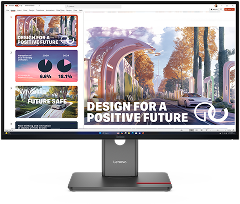
27” QHD — the most likely volume deployment model across the P series fleet.

Same panel and calibration as P27QD-40, connected via HDMI 2.1 and DP 1.4 instead of USB-C.
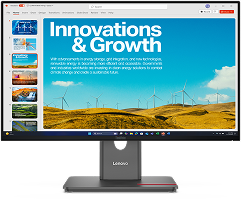
23.8” QHD at 123 DPI — smallest form factor that retains the complete P series feature set.
ThinkVision T Series
MainstreamSingle-cable USB-C docking at 100 W, variable refresh rate from 48 to 120 Hz, LDFM fleet management, and modular accessory support. The T series covers the broadest deployment range at a lower cost than P.

34” curved VA ultrawide with 3000:1 contrast and built-in 2×3 W speakers.
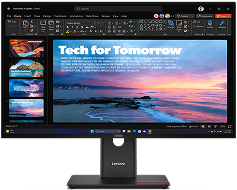
27” QHD IPS — the mainstream docking standard with DP Out for daisy chaining.

23.8” FHD IPS — smallest T series with Ethernet and full docking.
T series 100 W maximum power delivery requires a Lenovo VDM-compatible device. Without VDM, power delivery is limited to a lower wattage.
ThinkVision E Series
EssentialIPS panels at 100 Hz with 99% sRGB coverage, built-in speakers, and legacy connectivity including VGA. The E series delivers ThinkVision panel quality and stand ergonomics at the lowest cost tier, without USB-C docking, LDFM, VRR, or modular accessories.
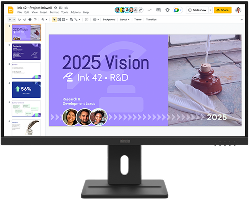
27” QHD IPS — the highest resolution available in the E series.

27” FHD IPS with VGA — for environments that still require legacy video connections.

23.8” FHD IPS — lowest cost in the Gen 40 lineup with the same panel quality and stand.
E series does not include USB-C upstream, Ethernet, LDFM, variable refresh rate, modular accessory support, or factory colour calibration. 3-side borderless (bottom bezel is thicker than P/T). Built-in 2×2 W speakers on all three E series models.
Where to buy?